> ## Documentation Index
> Fetch the complete documentation index at: https://trunk-4cab4936-mintlify-12f37660.mintlify.site/llms.txt
> Use this file to discover all available pages before exploring further.

# Robot Framework

> A guide for generating Trunk-compatible test reports for Robot Framework

You can automatically [detect and manage flaky tests](../../detection/) in your projects running tests with Robot by integrating with Trunk. This document explains how to configure Robot to output JUnit XML reports that can be uploaded to Trunk for analysis.

## Setup steps

Work through the steps below in order. Once you've finished the last one, you'll be ready to move on to [configure uploads in CI](../ci-providers/).

<Steps>
  <Step title={<a href="#generating-reports">Generate a compatible test report</a>} />

  <Step title={<a href="#report-file-path">Configure the report file path or glob</a>} />

  <Step title={<a href="#disable-retries">Disable retries for better detection accuracy</a>} />

  <Step title={<a href="#try-it-locally">Test uploads locally</a>} />
</Steps>

## Generating Reports

Trunk detects flaky tests by analyzing test results automatically uploaded from your CI jobs. You can do this by generating Trunk-compatible XML reports from your test runs.

To output compatible reports, add the `--xunit` argument to your `robot` command:

```shell theme={null}
robot --xunit=junit.xml TestSuite.robot
```

### Report File Path

The JUnit report will be written to the location specified by the `--xunit` argument. In the example above, it would be at `./junit.xml`.

### Disable Retries

You need to disable automatic retries if you previously enabled them. Retries compromise the accurate detection of flaky tests. You should disable them and prefer using the [Quarantine](../../quarantining/) feature to mitigate the negative impact of Flaky Tests.

Omit the [`--rerunfailed`](https://docs.robotframework.org/docs/flaky_tests#re-execute-failed-tests-and-merge-results) flag and remove any [RetryFailed Listeners](https://docs.robotframework.org/docs/flaky_tests#retryfailed-listener) previously configured to run as part of your CI pipeline to disable retries.

## Try It Locally

### The Validate Command

You can validate your test reports using the [Trunk Analytics CLI](../../reference/cli-reference). If you don't have it installed already, you can install and run the `validate` command like this:

<CodeGroup>
  ```bash Linux (x64) theme={null}
  SKU="trunk-analytics-cli-x86_64-unknown-linux.tar.gz"
  curl -fL --retry 3 \
    "https://github.com/trunk-io/analytics-cli/releases/latest/download/${SKU}" \
    | tar -xz

  chmod +x trunk-analytics-cli
  ./trunk-analytics-cli validate --junit-paths "./junit.xml"
  ```

  ```bash Linux (arm64) theme={null}
  SKU="trunk-analytics-cli-aarch64-unknown-linux.tar.gz"
  curl -fL --retry 3 \
    "https://github.com/trunk-io/analytics-cli/releases/latest/download/${SKU}" \
    | tar -xz

  chmod +x trunk-analytics-cli
  ./trunk-analytics-cli validate --junit-paths "./junit.xml"
  ```

  ```bash macOS (arm64) theme={null}
  SKU="trunk-analytics-cli-aarch64-apple-darwin.tar.gz"
  curl -fL --retry 3 \
    "https://github.com/trunk-io/analytics-cli/releases/latest/download/${SKU}" \
    | tar -xz

  chmod +x trunk-analytics-cli
  ./trunk-analytics-cli validate --junit-paths "./junit.xml"
  ```

  ```bash macOS (x64) theme={null}
  SKU="trunk-analytics-cli-x86_64-apple-darwin.tar.gz"
  curl -fL --retry 3 \
    "https://github.com/trunk-io/analytics-cli/releases/latest/download/${SKU}" \
    | tar -xz

  chmod +x trunk-analytics-cli
  ./trunk-analytics-cli validate --junit-paths "./junit.xml"
  ```
</CodeGroup>

**This will not upload anything to Trunk**. To improve detection accuracy, you should **address all errors and warnings** before proceeding to the next steps.

### Test Upload

Before modifying your CI jobs to automatically upload test results to Trunk, try uploading a single test run manually.

You make an upload to Trunk using the following command:

```sh theme={null}
./trunk-analytics-cli upload --junit-paths "./junit.xml" \
    --org-url-slug <TRUNK_ORG_URL_SLUG> \
    --token <TRUNK_ORG_TOKEN>
```

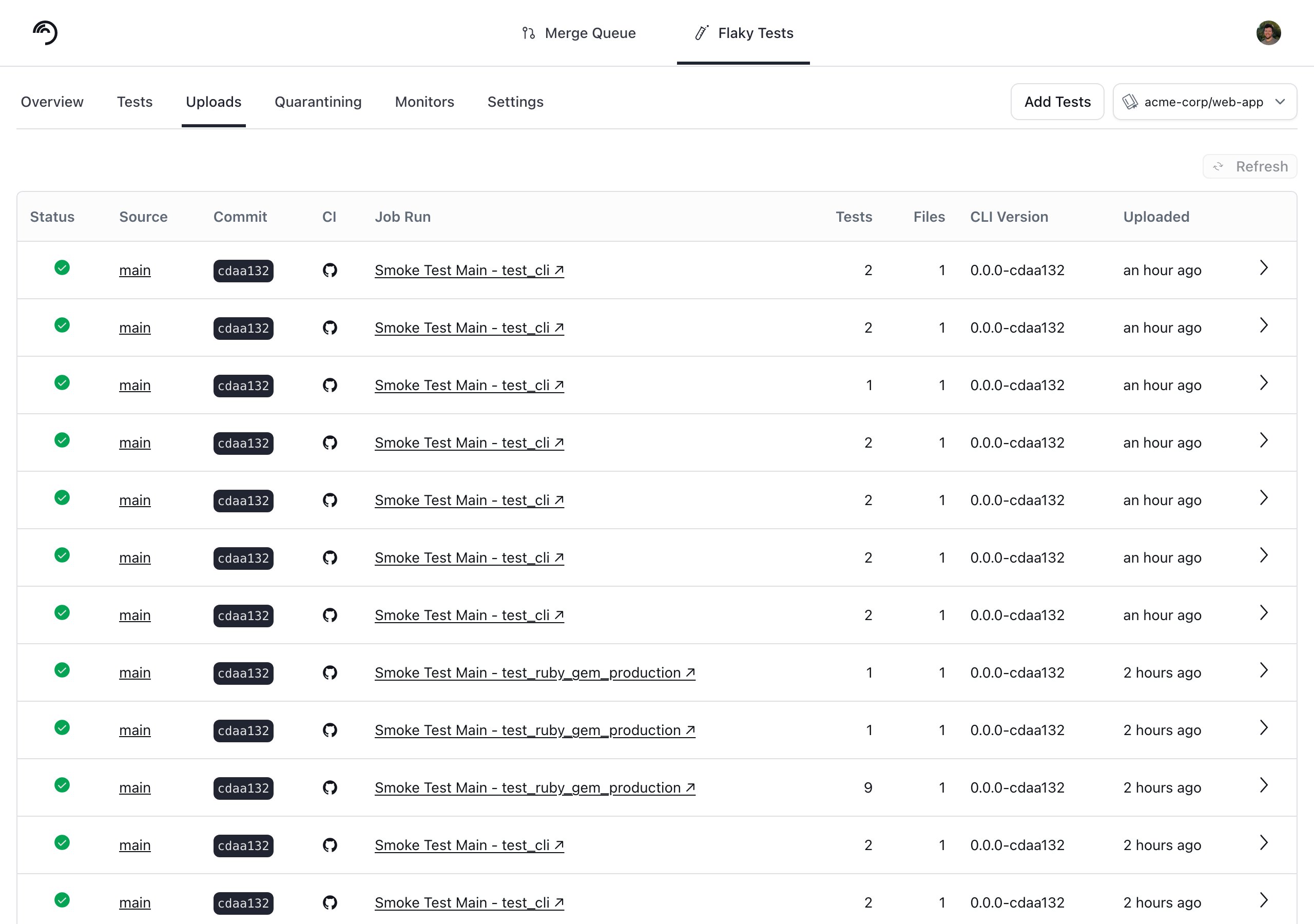
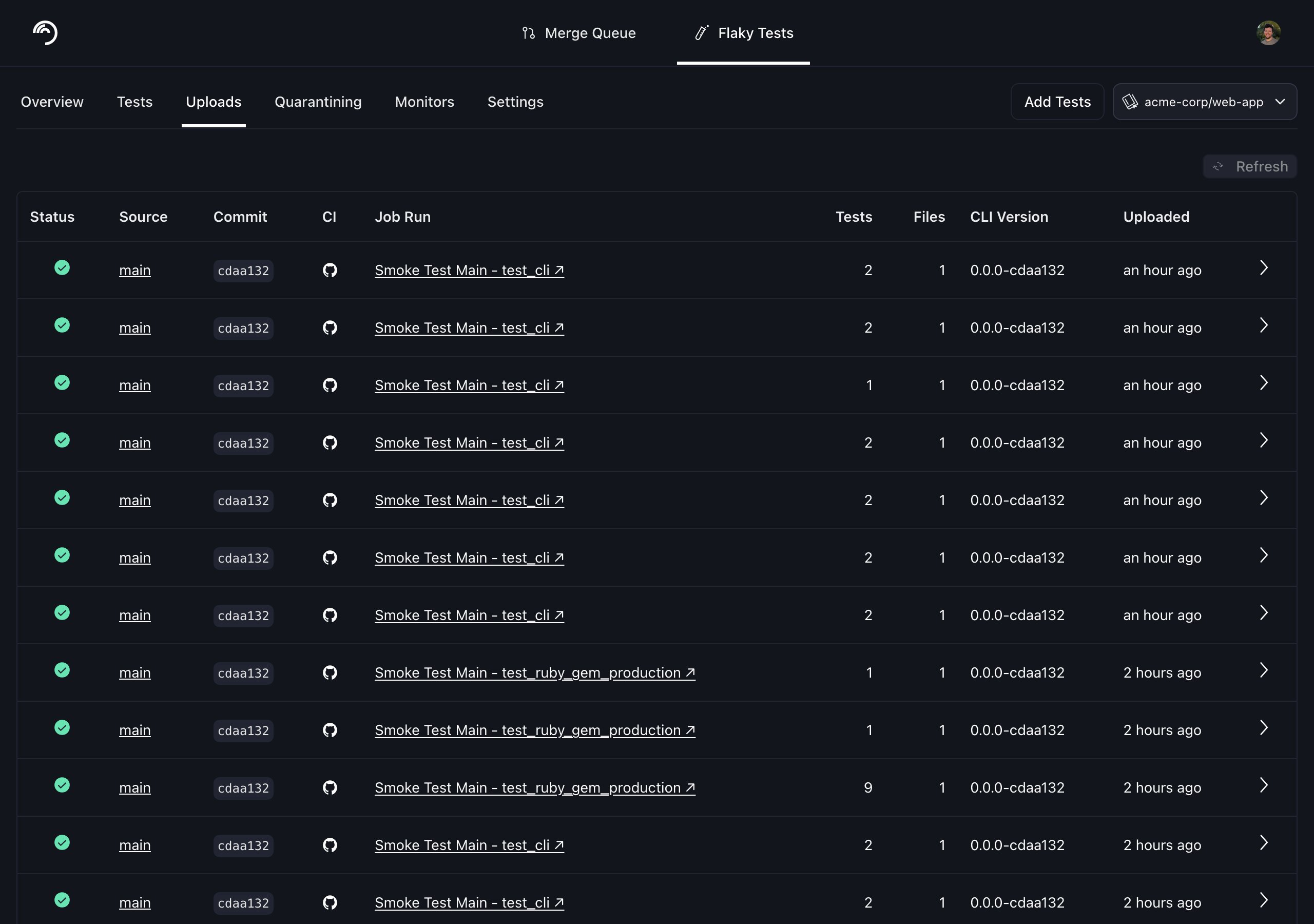
You can find your Trunk organization slug and token in the settings or by following these [instructions](/flaky-tests/get-started/ci-providers/otherci#id-1.-store-a-trunk_token-secret-in-your-ci-system). After your upload, you can verify that Trunk has received and processed it successfully in the **Uploads** tab. Warnings will be displayed if the report has issues.
<Frame>
  <img className="block dark:hidden" src="https://mintcdn.com/trunk-4cab4936-mintlify-12f37660/EiAtG1K4BXHCqsHT/assets/_shared/data-uploads-light.png?fit=max&auto=format&n=EiAtG1K4BXHCqsHT&q=85&s=d5d6f8a470cd69ffd5a0d0e8f5debc3b" alt="" width="2560" height="1800" data-path="assets/_shared/data-uploads-light.png" />

  <img className="hidden dark:block" src="https://mintcdn.com/trunk-4cab4936-mintlify-12f37660/EiAtG1K4BXHCqsHT/assets/_shared/data-uploads-dark.png?fit=max&auto=format&n=EiAtG1K4BXHCqsHT&q=85&s=dd57634e9fe0a7dbae496fd300d9e941" alt="" width="2560" height="1800" data-path="assets/_shared/data-uploads-dark.png" />
</Frame>

## Next Steps

Configure your CI to upload test runs to Trunk. Find the guides for your CI framework below:

<Columns cols={3}>
  <Card title="Atlassian Bamboo" href="/flaky-tests/get-started/ci-providers/atlassian-bamboo" img="https://mintcdn.com/trunk-4cab4936-mintlify-12f37660/EiAtG1K4BXHCqsHT/assets/_shared/atlassian-bamboo.png?fit=max&auto=format&n=EiAtG1K4BXHCqsHT&q=85&s=301c4a897874e1636bab732768e56acc" width="1600" height="1000" data-path="assets/_shared/atlassian-bamboo.png" />

  <Card title="Azure DevOps Pipelines" href="/flaky-tests/get-started/ci-providers/azure-devops-pipelines" img="https://mintcdn.com/trunk-4cab4936-mintlify-12f37660/EiAtG1K4BXHCqsHT/assets/_shared/azure.png?fit=max&auto=format&n=EiAtG1K4BXHCqsHT&q=85&s=ea2db5851d5c6eaede9bbf2615bf21f8" width="1600" height="1000" data-path="assets/_shared/azure.png" />

  <Card title="BitBucket Pipelines" href="/flaky-tests/get-started/ci-providers/bitbucket-pipelines" img="https://mintcdn.com/trunk-4cab4936-mintlify-12f37660/EiAtG1K4BXHCqsHT/assets/_shared/bitbucket.png?fit=max&auto=format&n=EiAtG1K4BXHCqsHT&q=85&s=d01da27f368afa13e2d77d7a3d830b46" width="1600" height="1000" data-path="assets/_shared/bitbucket.png" />

  <Card title="BuildKite" href="/flaky-tests/get-started/ci-providers/buildkite" img="https://mintcdn.com/trunk-4cab4936-mintlify-12f37660/EiAtG1K4BXHCqsHT/assets/_shared/buildkite.png?fit=max&auto=format&n=EiAtG1K4BXHCqsHT&q=85&s=de6ee912070678c6e89d090d3e1f3486" width="1600" height="1000" data-path="assets/_shared/buildkite.png" />

  <Card title="CircleCI" href="/flaky-tests/get-started/ci-providers/circleci" img="https://mintcdn.com/trunk-4cab4936-mintlify-12f37660/EiAtG1K4BXHCqsHT/assets/_shared/circle-ci.png?fit=max&auto=format&n=EiAtG1K4BXHCqsHT&q=85&s=1e78bdef1306ae02c1f6c3396d0e9cee" width="1600" height="1000" data-path="assets/_shared/circle-ci.png" />

  <Card title="Drone CI" href="/flaky-tests/get-started/ci-providers/droneci" img="https://mintcdn.com/trunk-4cab4936-mintlify-12f37660/EiAtG1K4BXHCqsHT/assets/_shared/drone.png?fit=max&auto=format&n=EiAtG1K4BXHCqsHT&q=85&s=0f909a48e6e1b77538fd67a3947bdff9" width="1600" height="1000" data-path="assets/_shared/drone.png" />

  <Card title="GitHub Actions" href="/flaky-tests/get-started/ci-providers/github-actions" img="https://mintcdn.com/trunk-4cab4936-mintlify-12f37660/EiAtG1K4BXHCqsHT/assets/_shared/github.png?fit=max&auto=format&n=EiAtG1K4BXHCqsHT&q=85&s=e80a0c73815505a86a03d75488952e34" width="1600" height="1000" data-path="assets/_shared/github.png" />

  <Card title="GitLab" href="/flaky-tests/get-started/ci-providers/gitlab" img="https://mintcdn.com/trunk-4cab4936-mintlify-12f37660/EiAtG1K4BXHCqsHT/assets/_shared/gitlab.png?fit=max&auto=format&n=EiAtG1K4BXHCqsHT&q=85&s=11240b8bb3041a7b449348b5a49be548" width="1600" height="1000" data-path="assets/_shared/gitlab.png" />

  <Card title="Jenkins" href="/flaky-tests/get-started/ci-providers/jenkins" img="https://mintcdn.com/trunk-4cab4936-mintlify-12f37660/EiAtG1K4BXHCqsHT/assets/_shared/jenkins.png?fit=max&auto=format&n=EiAtG1K4BXHCqsHT&q=85&s=7e021fa95b2cdcac9e4f81a8b37e5df6" width="1600" height="1000" data-path="assets/_shared/jenkins.png" />

  <Card title="Semaphore" href="/flaky-tests/get-started/ci-providers/semaphoreci" img="https://mintcdn.com/trunk-4cab4936-mintlify-12f37660/EiAtG1K4BXHCqsHT/assets/_shared/semaphore.png?fit=max&auto=format&n=EiAtG1K4BXHCqsHT&q=85&s=f8191f7deb4f20a3c522ce794e05bb64" width="1600" height="1000" data-path="assets/_shared/semaphore.png" />

  <Card title="TeamCity" img="https://mintcdn.com/trunk-4cab4936-mintlify-12f37660/EiAtG1K4BXHCqsHT/assets/_shared/teamcity.png?fit=max&auto=format&n=EiAtG1K4BXHCqsHT&q=85&s=6b45642f0aac61ff08bdc122a722a3be" width="1600" height="1000" data-path="assets/_shared/teamcity.png" />

  <Card title="Travis CI" href="/flaky-tests/get-started/ci-providers/travisci" img="https://mintcdn.com/trunk-4cab4936-mintlify-12f37660/EiAtG1K4BXHCqsHT/assets/_shared/travis.png?fit=max&auto=format&n=EiAtG1K4BXHCqsHT&q=85&s=4a322dd0a76307098b5530628fbdcc2c" width="1600" height="1000" data-path="assets/_shared/travis.png" />

  <Card title="Other CI Providers" href="/flaky-tests/get-started/ci-providers/otherci" img="https://mintcdn.com/trunk-4cab4936-mintlify-12f37660/EiAtG1K4BXHCqsHT/assets/_shared/other.png?fit=max&auto=format&n=EiAtG1K4BXHCqsHT&q=85&s=bb762e1955f19e3863289f05b0a3bead" width="1600" height="1000" data-path="assets/_shared/other.png" />
</Columns>
